

iCAUR V27 ADAS Guide – All Features, How to Use, Turn Off
A detailed look at the iCAUR V27’s ADAS features, available settings, and how drivers can manage them.


The iCAUR V27 is a full-sized REEV SUV introduced in Pakistan by iCAUR, and it comes loaded with modern technology and driving-assistance features. Similar to its little sibling, the V23, the iCAUR V27 comes equipped with a full Level 2 ADAS suite as well. However, unlike the iCAUR V23, the V27 offers a much more customizable experience when it comes to managing the ADAS features. It is offered in a single REEV variant in Pakistan and is imported and sold as a CBU. This ADAS Guide details all features available in V27 and how you can manage them.
This ADAS guide for the iCAUR V27 will focus on all features available in the V27 and how you can turn them on or off, along with suggested settings for use in Pakistan. We will not be going into details on what each feature does in general. If you want to learn about different ADAS levels and features and how they work, we have a dedicated ADAS Guide, so make sure that you check that out. This guide will solely focus on the iCAUR V27.

iCAUR V27 ADAS Features at a Glance:
Since the iCAUR V27 is imported as a CBU, the Level 2 ADAS feature list is similar to what is offered in other countries. It comes with a hefty list that includes:
| ADAS Feature | Available |
| Adaptive Cruise Control (ACC) | ✓ |
| Forward Collision Warning (FCW) | ✓ |
| Autonomous Emergency Braking (AEB) | ✓ |
| Lane Departure Warning (LDW) | ✓ |
| Lane Keeping Assist (LKA) | ✓ |
| Emergency Lane Keeping (ELK) | ✓ |
| Lane Centering Control | ✓ |
| Blind Spot Detection (BSD) | ✓ |
| Rear Cross-Traffic Alert (RCTA) | ✓ |
| Rear Cross-Traffic Braking (RCTB) | ✓ |
| Driver Monitoring System (DMS) | ✓ |
| Driver Attention Warning | ✓ |
| Door Opening Warning (DOW) | ✓ |
| Rear Collision Warning | ✓ |
| Traffic Jam Assist | ✓ |
| Automatic Parking Assist (APA) | ✓ |
Note: iCAUR’s terminology distinguishes Lane Keeping Assist (LKA) from Lane Departure Prevention (LDP). The V27 provides lane-correction functionality through its Lane Departure Warning Assist system, with the “Warning + Lane Correction” setting providing steering intervention.
All Customizable ADAS Features in iCAUR V27:
Similar to the iCAUR V23, the V27 manages some ADAS features automatically and does not offer customizable options for them. However, when compared directly, it offers a much more customizable experience than the V23. The following features can be managed manually in the iCAUR V27.
Driver Assistance Settings Tab:
You have two options in the Driver Assistance Settings Tab:
Fatigue Monitoring:
You can turn the Fatigue Monitoring on and off in the Driver Assistance Settings. When turned on, the V27 will actively monitor the driver and will sound a beep to alert the driver if it detects that the driver is showing signs of fatigue.
Attention Monitoring:
You can turn the Attention Monitoring on and off in the Driver Assistance Settings as well. When turned on, the V27 will use its driver sensors to see if the driver is paying attention to the road. If the driver is distracted for a specific number of seconds, it will try to alert the driver to pay attention to the road.
ADAS Tab:
In the main ADAS tab, you have multiple options to manage, including:
Cruise Mode Switch:
The iCAUR V27 offers two different Cruise Modes:
Constant Speed Cruise Control:
Tapping this setting will switch to the traditional Cruise Control, which will disable all aids and will only maintain the speed setting that you select. There is no braking, regaining speed, or maintaining distance from any vehicles in this mode. This will purely stick to the speed that you choose.
Adaptive Cruise Control:
This is the much newer, modern cruise control option. While the Adaptive Cruise Control tab is selected, it will use all available options to maintain the speed, braking if something comes ahead, maintaining a safe distance, and then return to the selected speed once again when the way ahead is clear. The settings can be managed using the steering controls for the cruise control.
Leading Vehicle Departure Alert:
When this is turned on, the V27 will play a sound to alert the driver if there is no input by the driver to drive forward at a red light when the vehicle at the front moves away.
Emergency Lane Keeping Assist:
When this setting is turned on, the V27 will actively pull back the vehicle into its lane when it detects that it is pulling into oncoming traffic, into a blind corner, and similar emergencies. This is not a warning sound or a steering vibration. When turned on, it will actively pull the vehicle back into the current lane.
Reverse Brake Assist:
When turned on, the iCAUR V27 will actively scan for any obstacles while reversing. If a vehicle pulls out suddenly, or a person starts coming into its path, the V27 will automatically apply the brakes and stop the vehicle to avoid a potential collision.
Forward Collision Warning Assist:
When this is turned on, the iCAUR V27 will actively scan and apply the brakes to assist the driver in preventing any collisions with vehicles or other obstacles in front. This will play a sound and also apply the brakes if necessary. It has three settings:
- Early: The system will engage while the obstacle is at a fairly long distance
- Medium: The system will engage at a moderate distance
- Late: The system will engage at a fairly short distance
Lane Departure Warning:
This gives three options for you to choose from:
- Off: The iCaur V27 will not give any sound warning or steering assist when it is turned off
- Warning Only: If the vehicle starts to veer out of its lane, it will give a sound warning until the driver corrects and comes back in the lane
- Warning + Steering Assist: This is the full assist option. Apart from playing a sound, the iCAUR V27 will also apply steering assist and pull itself back into the lane
How to Access ADAS Features in the iCAUR V27:
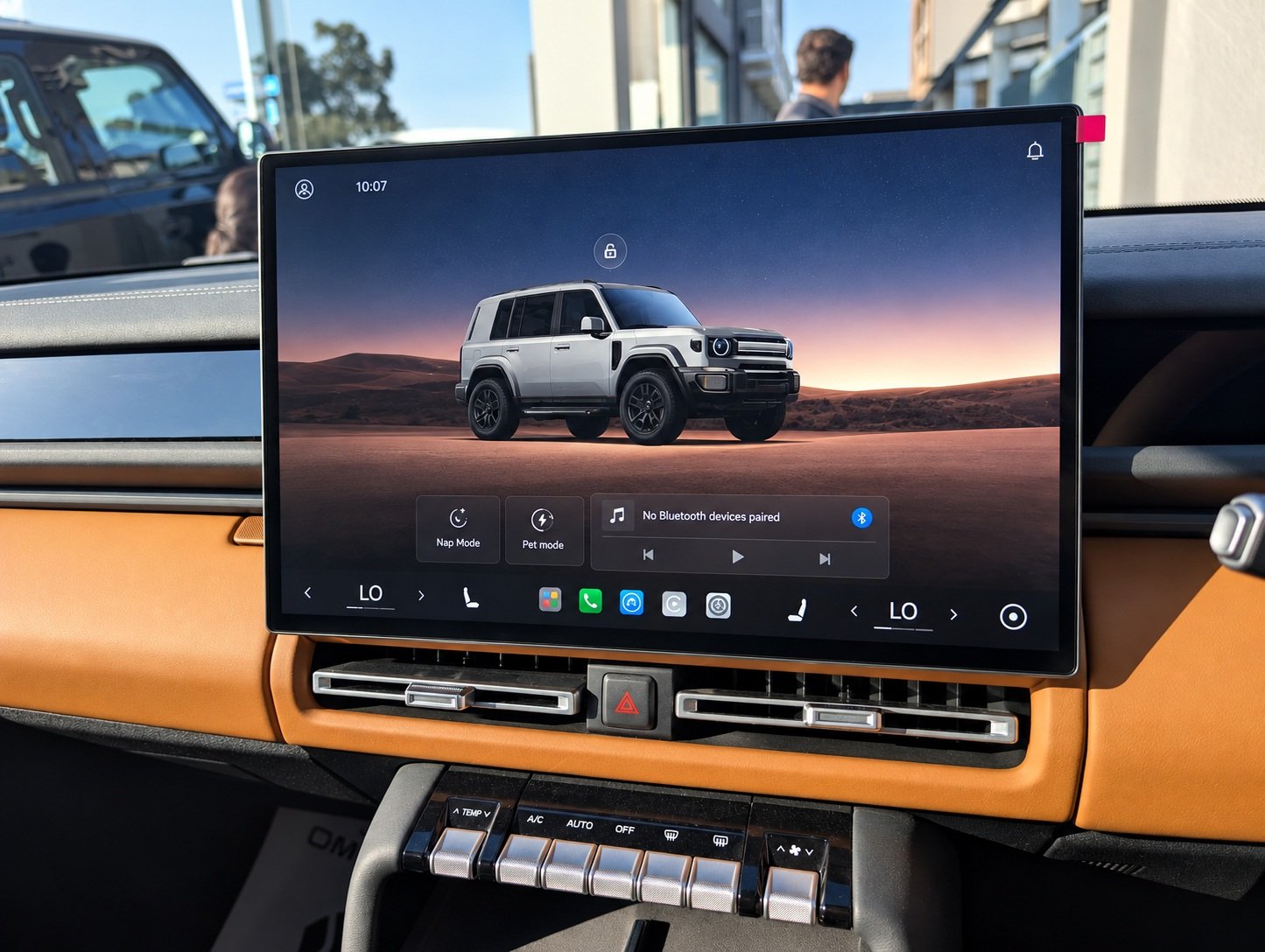
To access the ADAS features in the iCAUR V27, you must press the menu button from the home screen. This is the small icon with four colored circles (blue, yellow, orange, green) in it. This will open the main menu, and from here, you need to tap the Settings icon. It is the first icon on the main menu.
Tapping the Settings icon will open the main settings screen. Here, on the right side, you will see two different options that will allow you to manage different ADAS features. While most features are located in the dedicated ADAS tab, certain settings are found in the Driver Assistant Settings as well. Options like Fatigue Monitoring and Attention Monitoring are found in the Driver Assistance Settings Tab, while the rest of the ADAS suite options are available in the dedicated ADAS tab. Simply tap on the options that you want to toggle on and off.
Our Recommended ADAS Settings for Using the V27 in Pakistan:
We suggest the following settings for the iCAUR V27 for use in Pakistan:
| ADAS Feature | Our Suggestion |
| Adaptive Cruise Control (ACC) | This can be set based on your current driving scenario |
| Forward Collision Warning (FCW) | Keep it on |
| Autonomous Emergency Braking (AEB) | Keep it off in city traffic, but it can be helpful on highways |
| Lane Departure Warning (LDW) | Keep it on: Warning + Lane Correction |
| Lane Keeping Assist (LKA) | No dedicated on/off setting |
| Emergency Lane Keeping (ELK) | Keep it on |
| Lane Centering Control | No dedicated on/off setting |
| Blind Spot Detection (BSD) | No dedicated on/off setting |
| Rear Cross-Traffic Alert (RCTA) | No dedicated on/off setting |
| Rear Cross-Traffic Braking (RCTB) | Keep it on |
| Driver Monitoring System (DMS) | Keep it on |
| Driver Attention Warning | Keep it on |
| Door Opening Warning (DOW) | No dedicated on/off setting |
| Rear Collision Warning | Keep it on |
| Traffic Jam Assist | Keep it on and adjust according to driving conditions |
| Automatic Parking Assist (APA) | No dedicated on/off setting |
While the iCAUR V27 brings a comprehensive Level 2 ADAS suite, these systems are only there to help the driver. Don’t treat them as fully autonomous features; use them carefully, with the driver’s full attention.
Related ADAS Guides:
- iCAUR V23 ADAS Guide – All Features, How to Use, Turn Off
- MG Cyberster ADAS Guide – All Features, How to Use & Turn Off
- Toyota Raize / Daihatsu Rocky (First Generation) ADAS Guide – All Features Across All Trim Levels, How to Use, Turn Off
- Toyota Yaris (Facelift) Active Safety Features Guide – All Features Across All Six Variants
- Deepal S05 ADAS Guide: All Features, How to Use Them, and How to Turn Them Off
- XPENG L03 ADAS Guide – All Features, How to Use, Turn Off