
Deepal S05 ADAS Guide: All Features, How to Use Them, and How to Turn Them Off
Learn how to use, customize, and disable the Deepal S05's Advanced Driver Assistance Systems (ADAS), along with a complete list of available safety features.


The Deepal S05 is the latest SUV from Changan’s premium EV brand and the first Range-Extended Electric Vehicle (REEV) to be launched commercially in Pakistan. It comes with a Level 2 Advanced Driver Assistance Systems (ADAS) Suite, which includes nearly every feature that does not fall in the full vehicle automation suite.
The Level 2 ADAS suite is also the most common one across the globe, so the Deepal S05 is not missing anything when it comes to ADAS. In this guide, we will discuss what ADAS features are included in the Deepal S05, but if you want additional information on what ADAS is and how every feature works, you can check out our dedicated ADAS Guide.

Deepal S05 ADAS Features at a Glance
At a glance, Deepal S05 comes with the following ADAS features:
| Feature | Available | |
| Integrated Adaptive Cruise Control | ✓ | |
| Emergency Lane Keeping | ✓ | |
| Lane Departure Assist | ✓ | |
| Forward Collision Warning | ✓ | |
| Automatic Emergency Braking (AEB) | ✓ | |
| Blind Spot Monitoring | ✓ | |
| Rear Cross Traffic Alert | ✓ | |
| Driver Monitoring | ✓ | |
| Traffic Sign Recognition | ✓ | |
| Intelligent Speed Assist | ✓ | |
| High Beam Assist | ✓ | |
| Rear Collision Warning | ✓ | |
| Door Opening Warning | ✓ | |
| Reversing Lateral Assist | ✓ | |
| Lane Change Assist | ✓ | |
| Remote Straight In and Out (RSIO) | ✓ |
Related: Deepal S05 First-Look Review: The Futuristic SUV That Demands a Second Look
All ADAS Features in Deepal S05
The ADAS features in Deepal S05 are divided into three categories:
- Driving Assistance
- Safety Assistance
- Park Assistance
Driving Assistance:
This section has 2 features:
Integrated Adaptive Cruise Control
This feature assists with speed control and lane keeping, along with intelligent, automatic inputs by the system. It comes with two further options which can be activated for a different type of cruise control:
- Smart Cruise Control
- Adaptive Cruise Control
Additional options that you can find for this feature include:
- Voice Prompt – Notifies you verbally of any Smart Cruise Control Alerts.
- Intelligent Speed Assist – This feature displays speed limits, warns when exceeded, and assists with speed adjustment.
- Speed Limit Change Prompt – If the speed limit changes, it gives the driver an alert.
- Speed Warning – This feature provides an audible alert if the driver exceeds the speed limit for a long time.
- Deviation – This setting allows the driver to set the time deviation between actual speed limit information, intelligent speed limit, and speed warning.
Lane Departure Assist
Deepal S05’s Lane Departure Assist will provide a warning and apply steering assistance if the driver unknowingly leaves the current lane without signaling first. It has three ways to alert the driver:
- Warning
- Correction
- Warning + Correction
For warning, you can set three different options:
- Sound (A sound is played)
- Vibrate ( The steering wheel will vibrate slightly)
- Sound+ Vibration
Safety Assistance:
The second category of ADAS features in the Deepal S05 includes 7 features.
Emergency Lane Keeping
The vehicle will detect collision risk during lane changes and assist the driver with automatic emergency steering.
Forward Collision Warning
It allows the driver to select three time settings for adjusting the timing of forward collision warnings. The driver can set it to:
- Early
- Medium
- Late
Rear Collision Warning
If Deepal S05 detects a rear collision, it will alert the driver with a sound.
Door Opening Warning
If someone is opening a door and the vehicle detects it will cause a collision, it will alert the passengers. It can be set to two modes:
- Warning
- Voice Prompt
Automatic Emergency Braking (AEB)
Simple turning off and one option in this one.
Reversing Lateral Assist
Deepal S05 will provide an alert and even assist in braking if a lateral collision risk is detected by the vehicle when reversing. It has three options to choose from:
- Warning
- Brake
- Early Warning and braking
Lane Change Assist + Blind Spot Monitoring
This feature will light up the side mirror on the Deepal S05, and the steering wheel will vibrate as well if a vehicle or another obstacle approaches from the side or the rear. You can set its setting to one of three options:
- Early
- Medium
- Late
Parking Assistance:
This category has 1 feature.
Remote Straight In and Out (RSIO)
This feature allows the driver to control the Deepal S05 to move forward or backward in a straight line, making it easier to get in and out of narrow parking spaces, or even bring the car inside if it is raining outside. Speed is limited, and hazard lights are turned on for this.
Important Notice: Certain features are activated automatically and cannot be controlled manually. Since Deepal S05 receives OTA updates, certain features could be added to the vehicle in the future, which might not be available at the time of this publication. We will try our best to keep this article refreshed with every new feature that arrives in Deepal S05 after this guide is published.
How to Access ADAS Features and Manage Them
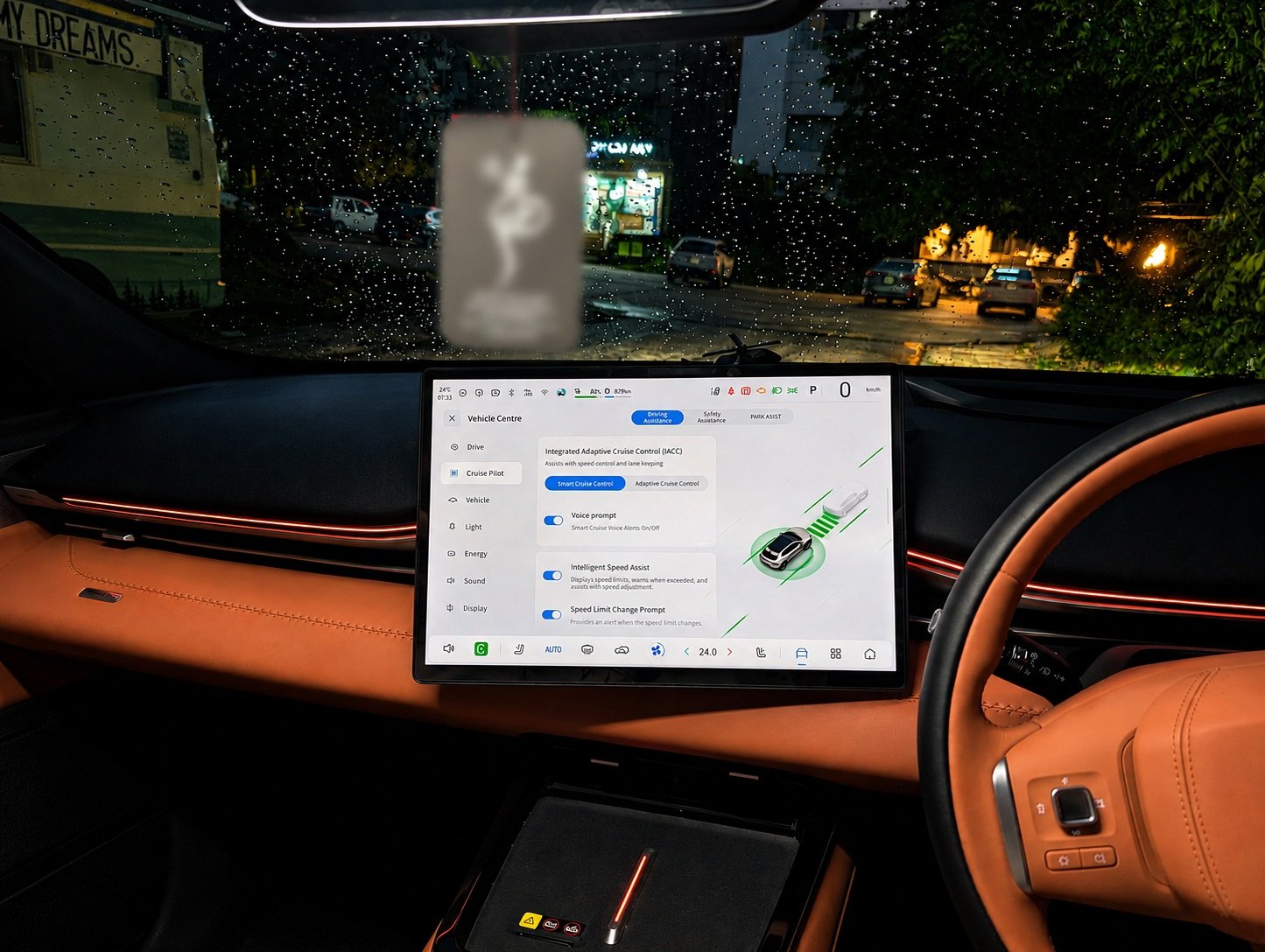
Accessing and managing the ADAS features in the Deepal S05 is fairly simple. You must head to the Vehicle Centre in the center screen by starting the car and tapping the small car icon in the lower control bar. Once clicked, it will open the Vehicle Centre, and on the left side of the screen, look for the Cruise Pilot option. Tap on it.
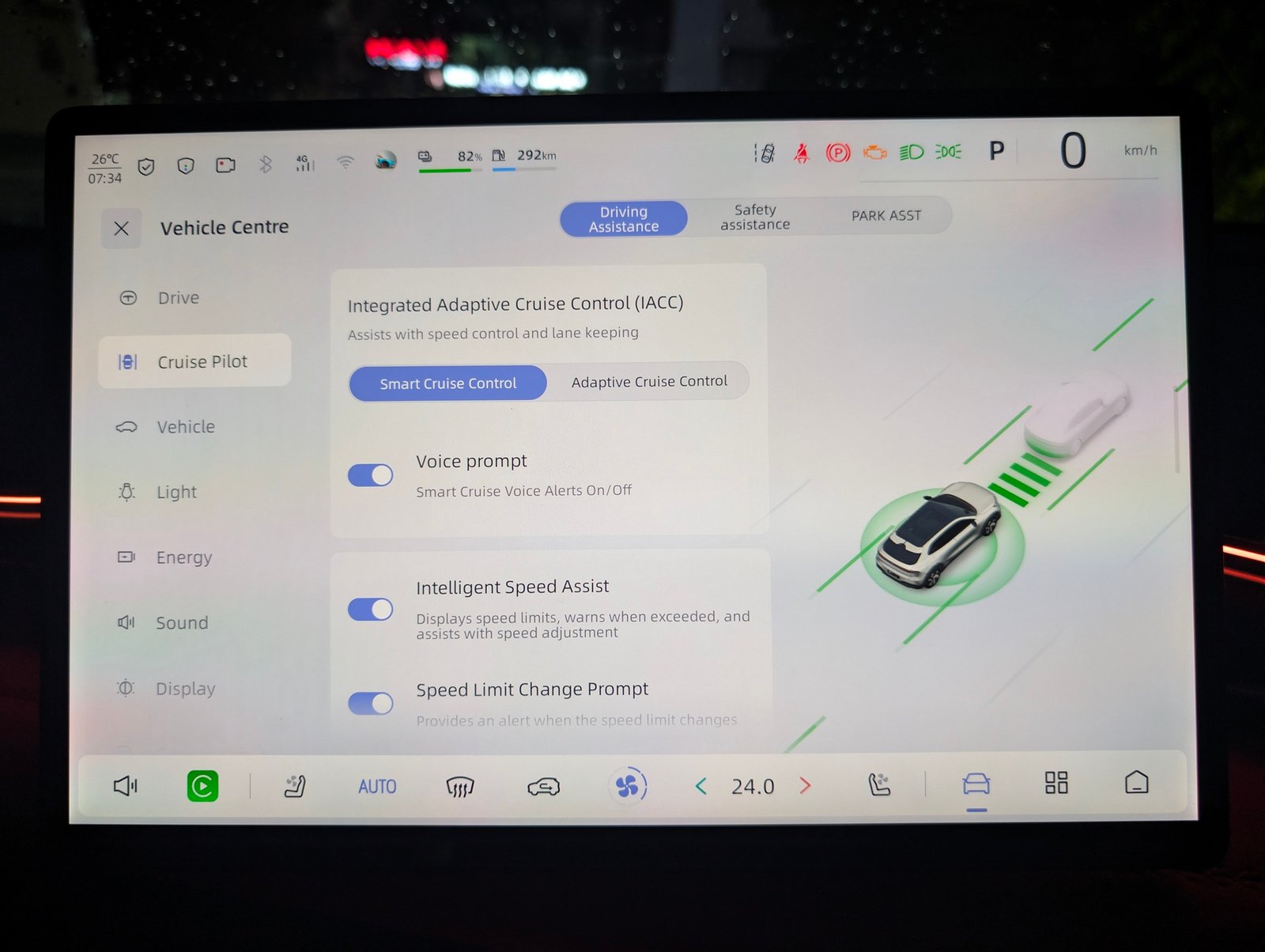
Once inside the Cruise Pilot, you can select different categories, turn features on and off, or adjust their settings by simply scrolling and then tapping their On/Off buttons next to their names. There are no complex settings here, and everything can be managed as simply as changing settings on your mobile phone.
Our Recommended ADAS Settings for Deepal S05 in Pakistan
| ADAS Feature | Setting |
| Integrated Adaptive Cruise Control | Smart Cruise Control with Intelligent Speed Assist and Speed Warning. Deviation set around 1.2% |
| Lane Departure Assist | Warning only with sound + vibration. Many roads in Pakistan have faded lane markings or inconsistent road layouts, which may reduce the effectiveness of lane-keeping systems and lead to unnecessary steering corrections. |
| Emergency Lane Keeping | Recommended: Off |
| Forward Collision Warning | On with Medium Warning Time |
| Rear Collision Warning | On |
| Door Opening Warning | Warning |
| Automatic Emergency Braking (AEB) | Recommended: Off. This system cannot work effectively in Pakistan because motorcycles, pedestrians, and rickshaws confuse it |
| Reversing Lateral Assist | On with both Early Warning and Braking. It will save negligent and short-sighted drivers while reversing |
| Lane Change Assist | On with Light + Vibration only. Warning time set to medium |
| Remote Straight In and Out (RSIO) | On. This is a safe and useful feature for many scenarios, but make sure that you remain close to the vehicle at all times |
Things to Know Before Using ADAS:
- Keep cameras and sensors clean.
- ADAS does not replace attentive driving.
- Some features may temporarily stop working during heavy rain or fog.
- Some settings may automatically re-enable after restarting the vehicle.
- OTA updates may introduce new features or modify existing ones.
The Deepal S05 comes with the most comprehensive suite of ADAS features, and it can make driving safe and comfortable when used correctly. Always remain attentive behind the wheel, and keep in mind that these systems are in place to assist you, not replace you.
Related Guides:
- Toyota Yaris (Facelift) Active Safety Features Guide – All Features Across All Six Variants
- 2019 Toyota Raize / Daihatsu Rocky ADAS Guide – All Features Across All Trim Levels, How to Use, Turn Off
- MG Cyberster ADAS Guide – All Features, How to Use & Turn Off
- How to Turn Off Deepal S05
- iCAUR V23 ADAS Guide – All Features, How to Use, Turn Off