Toyota Yaris (Facelift) Active Safety Features Guide – All Features Across All Six Variants
A complete breakdown of the Toyota Yaris Facelift's active safety features, including variant-wise availability, how to use them, and the best settings for Pakistani roads.

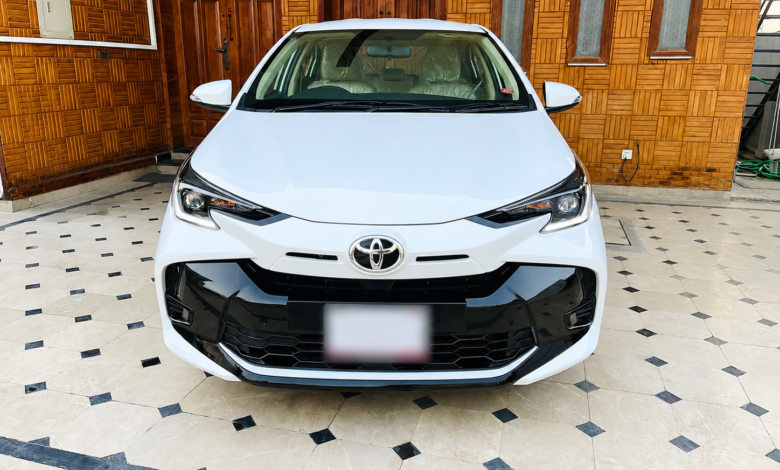
Toyota Indus Motors launched the Toyota Yaris facelift in 2024 across Pakistan, and it comes in six unique variants. Surprisingly, the level of Active Safety features, although minimal, is quite similar across all variants. Normally, people confuse these systems and categorize them with ADAS features, but these features do not come on the same level as that of ADAS, and they come under Active Safety Features.
Active Safety features help the driver maintain control of the vehicle using onboard electronics, while ADAS relies on cameras, radar, or ultrasonic sensors to monitor the surroundings and actively assist with driving. The current-generation Toyota Yaris sold in Pakistan does not offer ADAS features. Parking Distance Warning (PWD), or Parking Sensors as we call it locally, is sometimes considered a basic driver assistance feature. We have included it under Active Safety in this guide because of its limited functionality.


Toyota Yaris Facelift Active Safety Features at a Glance
| Active Safety Feature | Gli MT 1.3 | Gli CVT 1.3 | ATIV MT 1.3 | ATIV CVT 1.3 | ATIV X CVT 1.5 Beige & Black Interior |
| Traction Control | ✓ | ✓ | ✓ | ✓ | ✓ |
| Hill Start Assist Control | ✓ | ✓ | ✓ | ✓ | ✓ |
| Vehicle Stability Control (VSC) | ✓ | ✓ | ✓ | ✓ | ✓ |
| Anti-Lock Braking System (ABS) | ✓ | ✓ | ✓ | ✓ | ✓ |
| Parking Distance Warning (PDW) | ✓ | ✓ | ✓ | ✓ | ✓ |
| Brake Assist (BA) | ✓ | ✓ | ✓ | ✓ | ✓ |
| Electronic Brake-Force Distribution (EBD) | ✓ | ✓ | ✓ | ✓ | ✓ |
| Cruise Control (Basic) | ❌ | ❌ | ❌ | ✓ | ✓ |
Managing Active Safety Features in the Toyota Yaris (Facelift)
Nearly all features are automated in the Toyota Yaris, and the driver cannot control them directly. There are only four features that can be controlled manually by the driver, and these include:
Parking Distance Warning (PDW) or Parking Sensors
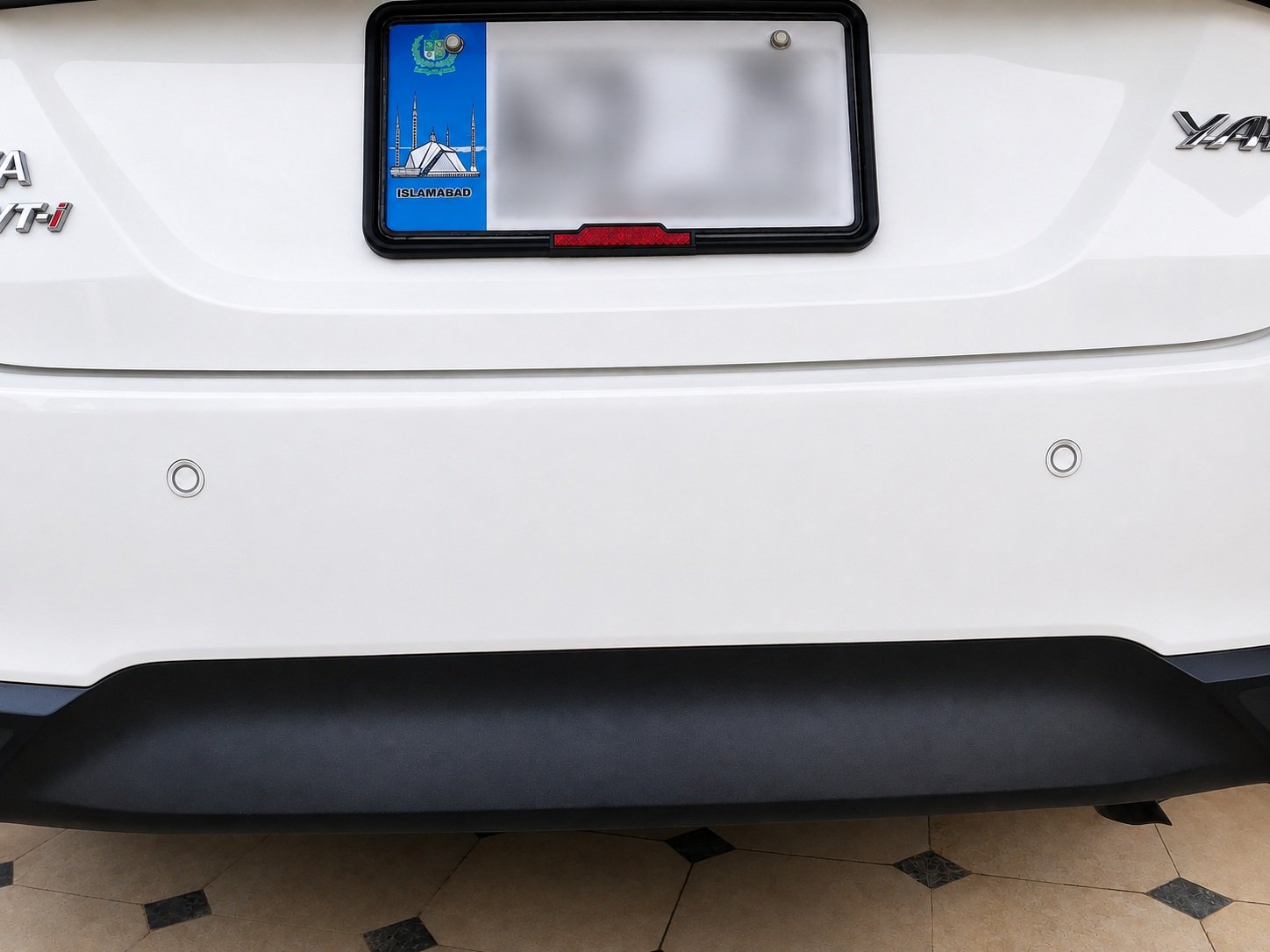
For some reason, the Toyota Yaris comes with a special button that allows the driver to turn off the Parking Sensors. On the right side of the driver’s dashboard, there are two buttons on the lower side. The button that shows P with some signals going out towards a cone, this is the Parking Distance Warning button. Pushing it will engage the sensors in the back bumper, and a light will turn on inside this button. Pushing it again will turn off the sensors. This feature, when turned on, gives a sound when something gets close to the vehicle while reversing.
Traction Control and Vehicle Stability Control (VSC)
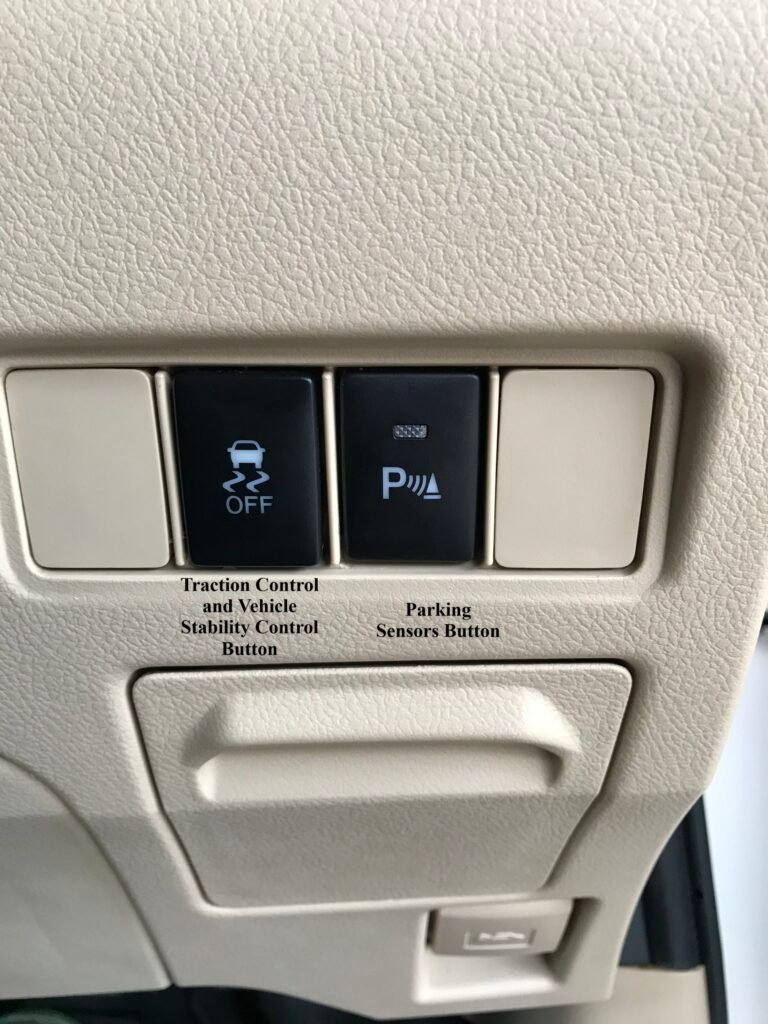
The second button next to the Parking Sensor control shows a vehicle with some skid marks and the words OFF at its bottom. This button controls both traction control and vehicle stability control. Pushing the button once will deactivate the traction control, and you can tell that it is deactivated by the TC OFF light in the dashboard. Pushing it again will turn on the traction control, and the TC OFF light will go out on the dashboard.
To control the Vehicle Stability Control, you must press the same button for three seconds. This will turn off the vehicle stability control and will be indicated by an icon showing a vehicle sliding and OFF on the dashboard. Note that this does not turn off the traction control. For that, you will need to press this button again once. To turn the VSC back on, you will need to press and hold the same button for three seconds again. This will turn the VSC back online.
If Vehicle Stability Control (VSC) remains enabled, the system may automatically reactivate Traction Control once the vehicle reaches a certain speed. If you intend to disable both systems completely, switch off VSC first by holding the button for three seconds and then press the button once more to disable Traction Control.
Cruise Control
Cruise Control is only available for the top-end option, including both trims of the ATIV X CVT 1.5, and it is the basic version of Cruise Control. This version does not detect any incoming traffic and automatically brakes because of it. Rather, it only allows the vehicle to maintain a speed that is set by the driver. This is controlled by a small dial-like attachment on the steering wheel.
It offers basic settings like increasing and decreasing the selected speed and turning it on. To deactivate it, simply tap on the brakes, and it will give complete control to you. Unlike the Adaptive Cruise Control in ADAS-equipped vehicles, it will not stop if something comes ahead, so make sure that you are always attentive.
Recommended Settings for Toyota Yaris Facelift in Pakistan
| Active Safety Feature | Recommended Option for Pakistan |
| Traction Control | Keep it enabled during normal driving. Disable it only if the vehicle is stuck in mud, sand, or other loose terrain. |
| Hill Start Assist Control | Cannot be switched off |
| Vehicle Stability Control (VSC) | Keep it enabled at all times. Disable it only in special off-road recovery situations. |
| Anti-Lock Braking System (ABS) | Cannot be switched off |
| Electronic Power Steering (EPS) | Cannot be switched off |
| Parking Distance Warning (PDW) | Keep this enabled unless towing or when the warning becomes unnecessary. |
| Brake Assist (BA) | Cannot be switched off |
| Electronic Brake-Force Distribution (EBD) | Cannot be switched off. |
| Cruise Control (Basic) | Use this feature only on highways and motorways in light traffic. While it is active, always keep both hands on the steering wheel and remain attentive. |
While the Toyota Yaris lacks the camera- and radar-based ADAS features found in many newer Chinese vehicles, it still offers a solid package of active safety systems that can help drivers maintain control during emergencies. Features such as ABS, Vehicle Stability Control, Traction Control, and Brake Assist work automatically in the background and should generally remain enabled for everyday driving.
Related Guides:
- Deepal S05 ADAS Guide: All Features, How to Use Them, and How to Turn Them Off
- What Is ADAS? A Complete Guide for Pakistani Car Buyers
- 2019 Toyota Raize / Daihatsu Rocky ADAS Guide – All Features Across All Trim Levels, How to Use, Turn Off
- MG Cyberster ADAS Guide – All Features, How to Use & Turn Off
- iCAUR V23 ADAS Guide – All Features, How to Use, Turn Off